
The session ends. The evidence chain should not.
Recruiting, video, activities, transcripts, clips, analysis, and reporting still live in different tools. The session may be complete, but the evidence is fragmented across recordings, documents, spreadsheets, and presentation files, and the trail from finding back to participant breaks a little at every step.
Qual Studios keeps the participant, session, exercise, transcript, quote, clip, theme, consent, and final readout connected in one study record.
Plan, build, recruit, run, analyze, deliver. And the field operations underneath it.
Plan
Objectives, audience, and the session schedule mapped up front.
Build
Screener, participant profiles, discussion guide, exercises, and whiteboards in one builder.
Recruit
From a BEYOND survey or your own sources, with screeners, quotas, and field management.
Run
Boards, groups, and interviews on the guide, with a full library of live exercises and a shared whiteboard.
Analyze
Toplines, transcripts, themes, and cross-session synthesis.
Deliver
Readouts, clips, and reels, into the same deliverables as your quant.
Running qual is an operations job as much as an analysis job, and Qual Studios covers the unglamorous parts:
AI helps cover every session. Researchers preserve the context and meaning.
Qualitative evidence loses its meaning when it is stripped from the conversation it came from. The BI Agent widens the coverage, reading across every session and exercise so nothing is missed. Deciding what a participant meant stays with the people who were in the room.
The agent surfaces
Candidate themes, tensions, and the supporting evidence behind them, with every quote traceable to who said it, where, and when.
The moderator checks
Each candidate theme is read back against the actual conversation by the person who ran the session, not accepted as drafted.
The research lead approves
The cross-session story, the caveats, and the recommendations are set and signed off by a researcher before anything ships.
Every generated theme and takeaway must cite transcript evidence, and nothing ships until a researcher approves it.
A research session, not just a video call.
A generic video call with a shared doc is not a research session. Qual Studios gives the moderator an operational cockpit and observers a real seat, so the session runs on the guide, not on improvisation. Groups, interviews, and boards, all on the same engine.
Participants join from a secure link, no install, and their video stays inside the consented session. Consent state, camera, and microphone show on every tile, and the moderator sees who is speaking. Shown here with participants abstracted for privacy.
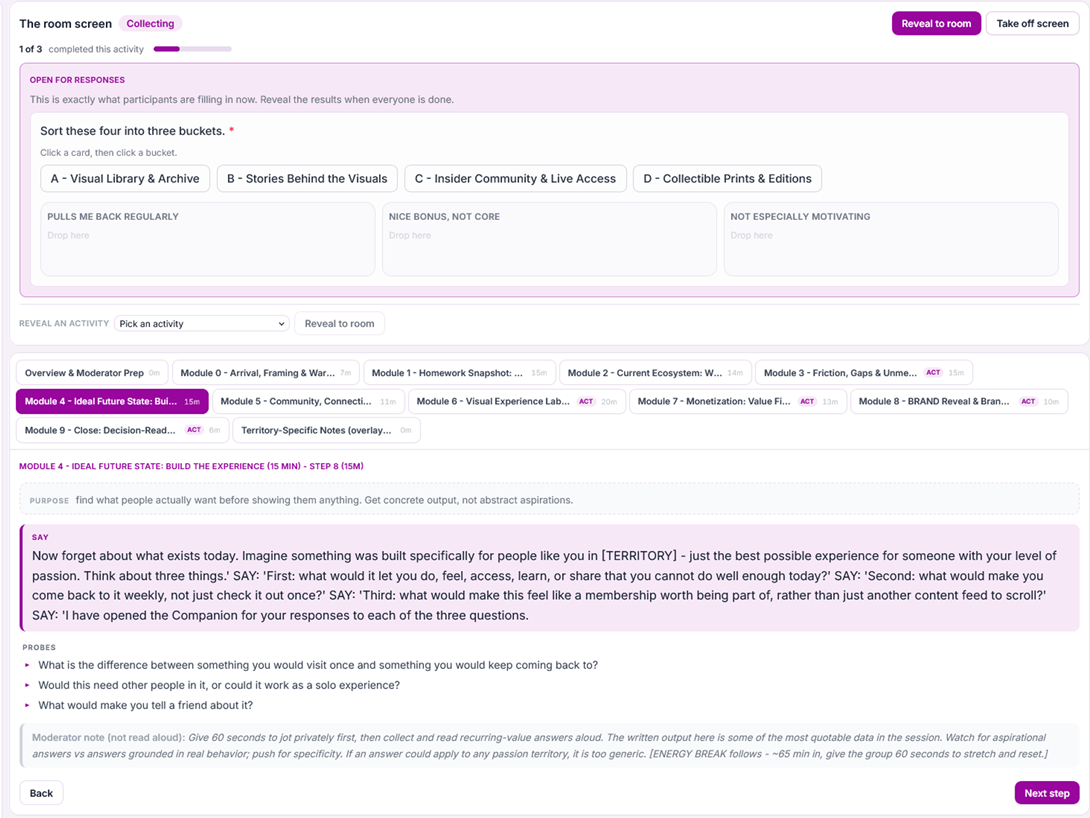
This is the part a video call does not have. The live activity, open and collecting the room's responses right now into its answer buckets, the module rail with each section timed, and the current step with its script, its probes, and a moderator note that is never read aloud.
Turn the conversation into structured evidence.
Launch card sorts, rankings, 2x2 mapping, concept markup, pricing and value exercises, diaries, and homework directly from the guide, in session or between sessions, built by the moderator in minutes with no engineer. Responses return as analyzable data, not buried in a transcript. The shared whiteboard is one option when the group needs to draw, cluster, or map together.
Every one is captured as structured data you can analyze, not just read.
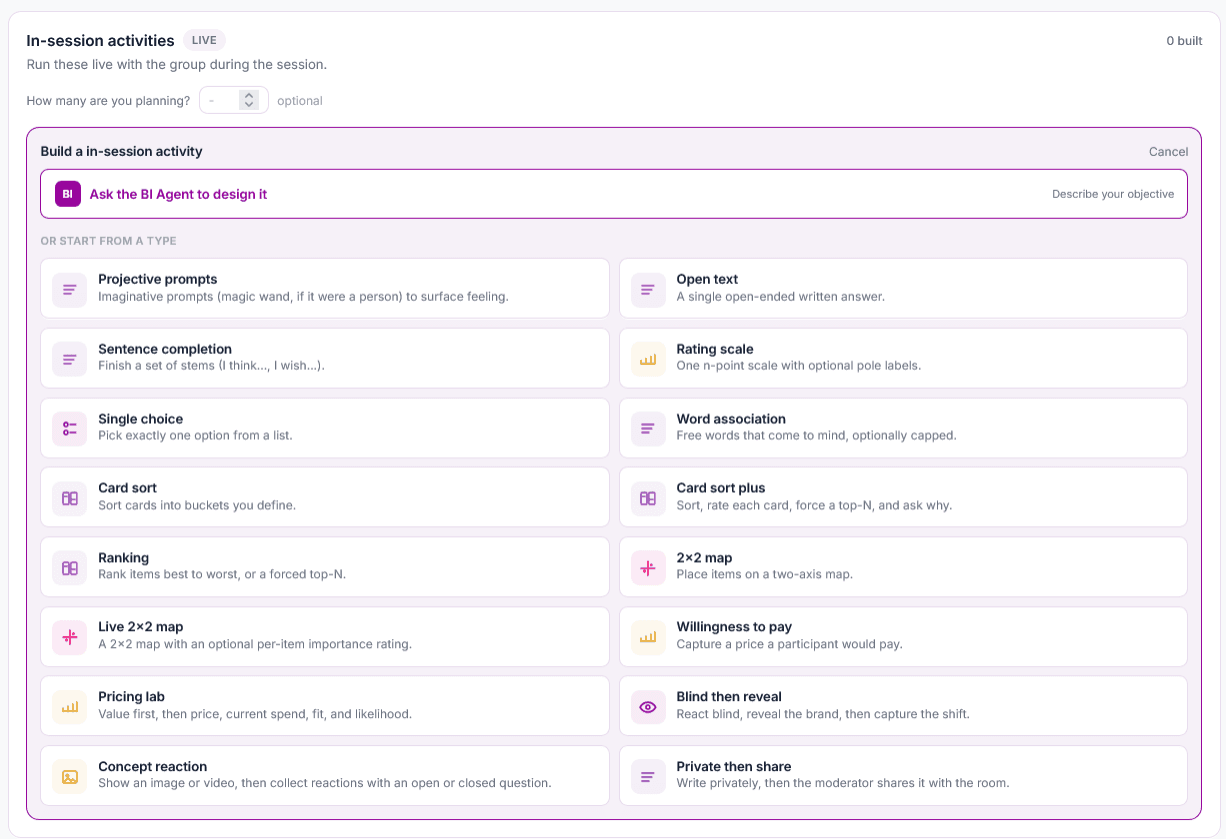
In session or between sessions: multi-day diaries, photo and video uploads, and homework assignments land back in the same session record before the group meets.
Co-create in the room. Save what the group built.
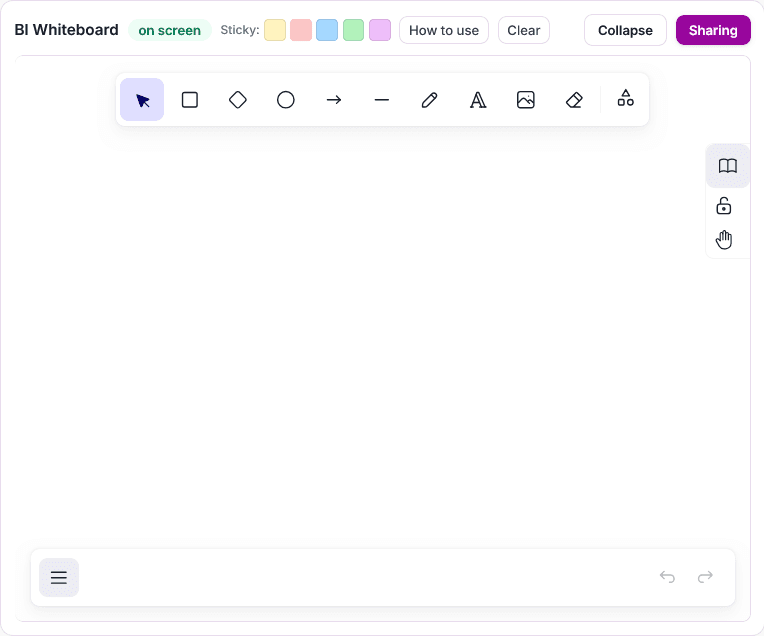
The moderator opens a shared whiteboard in any session and puts it on screen for the group: freehand pen, shapes, arrows and connectors, text, images, and colored sticky notes. Sketch a concept, map a journey, cluster ideas, or organize reactions as the conversation moves. The completed board stays attached to the session for analysis, reporting, and follow-up.
Easy for participants, controlled for researchers.
Every capability above depends on participants actually showing up, getting in, and staying engaged. That side of the product is deliberately boring, in the best way.
A secure participant link
No account, nothing to install. Browser-based on desktop and mobile.
Camera and microphone preflight
Checked before joining, with a clear path to help if something fails.
Recording and consent indicators
Always visible, so a participant never has to wonder what their status is.
Built for small screens
Activities are designed for a phone, so homework and diaries actually get done.
Reconnect, not requeue
A dropped participant lands back in the room they left, not at the back of the queue.
Desktop and mobile access
The full participant experience runs in any modern browser, on a laptop or a phone, with no account and nothing to install.
Every qualitative format, one place to run it.
Async discussion boards
Multi-day boards with threaded prompts, stimuli, homework between days, and guided exercises. Participants join on their own time, from any device.
Live focus groups
Moderated video sessions with a roster, moderator and observer roles, live exercises the whole room does together, and a shared discussion guide with recording and transcripts.
In-depth interviews
One-on-one moderated sessions on the same guide-and-exercise engine, with the same topline and synthesis at the end.
And the business problems teams bring to it:
A first-pass topline shortly after each session.
When a session ends, Qual Studios drafts its topline: one decision-ready headline, three to five themes grounded in what participants actually said, notable verbatims, and takeaways. Every generated theme and takeaway must cite transcript evidence, and nothing ships until a researcher approves it. By the end of fieldwork the cross-session story is already half written.
Illustrative example built to show the format. Client findings are confidential and are never used as marketing material.
Full transcripts, every session analyzed, one cross-session story.
Every session produces a speaker-attributed transcript with review and correction tools. A private AI assistant, which we call the BI Agent, supports you at every step, from drafting exercises to synthesizing findings. Your study data stays completely private: it is processed on secure servers under our approved configuration and is never used to train outside AI models.
The BI Agent reads every transcript, across sessions and exercises, and surfaces themes, representative verbatims, and tensions, with every quote traceable to who said it, where, and when. The output is a full qualitative report, not a summary: session toplines roll up into a cross-session analysis your team reviews and shapes, and every claim in it cites its transcript evidence.
Extract themes
Responses cluster into themes with supporting verbatims, organized by recurrence, salience, and participant context.
Pull verbatims
Representative quotes per theme, each linked to its participant and exercise.
Draft the readout
A first-pass qualitative narrative your team edits, not a black box.
Keep the trail
Every theme and quote points back to its source, and a researcher approves the story before it moves downstream.
Clips your stakeholders will actually watch.
Mark moments during or after a session and Qual Studios cuts them into captioned clips with speaker plates, assembled into reels by theme or by story arc. Drop a reel into the readout, or send the three-minute version to the people who will never read the report. Nothing sells a finding like the customer saying it.
Standalone by design. And when a survey exists, start from your own respondents.
Qual Studios runs perfectly well with no quant study at all: recruit however you normally do and every capability on this page works the same. But when a survey already exists in BEYOND, invite qualified respondents directly and carry their segment, answers, and quality context into the session. What is difficult to reproduce in a standalone qual stack becomes native when the quant and the qual share one study record: the quant told you who to talk to; the qual tells you why.
Screener to session, one step
Qualification rules route survey completers directly into boards and sessions. No panel matching, no wondering if the person in the group is the person in the data.
Context in the room
Moderators see each participant's survey answers and segment live, so probes build on what they already said instead of re-asking it.
Governed at every stage
Consent, identity, and data handling carry from survey to session to synthesis, on the same enterprise posture as the rest of the platform.
Qual and quant, in the same study record.
Because Qual Studios lives inside BEYOND, its output is never a stranded transcript. Themes and verbatims sit next to the tables, and flow into the same deliverables: pin a theme into a report section, a highlight into a dashboard, a verbatim into an infographic, all with provenance intact.
Into a BEYOND report
Pin a theme straight into a report section, evidence attached.
Into a dashboard
Drop a highlight next to the tables it explains.
Into an infographic
A verbatim carries the one-page story for stakeholders.
Out to Excel or PowerPoint
Export when a stakeholder needs the file, provenance intact.
Choose how you want to run the study.
Use Qual Studios with your own team, bring in BEYOND specialists for the stages you want covered, or have our researchers run the project. The same three ways of working as the rest of the platform, on the same study record either way.
Your team runs it
Your moderators, your guides, your synthesis, with the full toolkit above and training from our team.
Your team leads, ours assists
Keep moderation in-house and bring in BEYOND for guide design, recruiting operations, or the cross-session synthesis and readout.
Our researchers run it
BEYOND's senior qualitative researchers design the guide, moderate the sessions, and deliver the synthesis, visible to you throughout.
Consent, retention, and participant protection are part of the study record.
Captured, not assumed
Recording, transcription, observer access, clip creation, and permitted downstream use are captured according to the project configuration, and carried with the media.
Only what you are invited to
Participants see only the session, board, activities, and media they are invited to access. Moderators, producers, observers, and client users each receive only the access their role requires.
Encrypted and isolated
Recordings, transcripts, and clips are encrypted, access-controlled, and isolated by project, with row-level security at the database.
Controlled processing and retention
Recordings, transcripts, clips, and AI outputs are stored and retained according to the project's approved policy, with scoped access and defined deletion workflows.
Study-scoped processing
Study content is processed through approved, server-side AI services and is not used to train provider models under our approved configuration.
A defensible readout
Themes, quotes, and clips remain connected to the participant, session, timestamp, exercise, consent state, and researcher approval.
Bring your next qual project. See the workflow from recruit to readout.
Bring a discussion guide or a recent project, and we will show how the session, evidence, clips, and final story stay connected.
Bring a discussion guide or a recent project. We will show the workflow from recruit to readout.